Sunday, December 13, 2015

Saving file from image proxy

Image proxy is a web page used to serve images from web sites that stores its images outside of the root directory of the web page. This is done for security purposes. The web image tag looks something like <img src=imageproxy.php?filename=xx.png>

The resultant web page looks exactly like any web pages except when you try to save it. The file name become imageproxy.php instead of xx.png. Any user will complain that this is no user friendly.

I took hint from some Netizens that by using the ALT attribute and put the actual filename as its value solved the issue. It also helps when the image is not available. User will get to save the file with the proper name. It benefits both the programmer and user.


Saturday, December 12, 2015

Chek Jawa

Chek Jawa is a place name in Pulau Ubin. Previously it is just a wetland that is not accessible to public. In 7 July 2007 NParks make it into a visitor accessible park. This trip is specifically to visit Chek Jawa Wetland.

To access the island, you have to go to the Jetty. It is just further down the food center in Changi Village.


The access to the jetty is via a building (circled in the picture). You have to go downstairs to the basement. There are two areas. One for Ubin and the other one for Pengeleh Malaysia. The ubin access is on the right hand side. There is no passport needed for Ubin access.

If there are not many people, you will have to wait at the waiting area. Twelve persons are required for the bump boat to begin the trip. You can hire the whole boat if you want. The trip is $3 one way per person. I don't know the price increased already as I read from blogs that it is only $2.50. No discount for kids and seniors. The trip itself is about 15 minutes. Its school holiday so I just need 5 minutes wait before embarking the boat.

I have planned a very indirect way of going to Chek Jawa. First detour is to the Sensory Trail.

The first picture I took is not yet identified. Its bud or fruit looks red.


Turning into Sensory Trail, there is yet a vine that I cannot identify.


Here is a moth that it not identified even though I post it on web for ID. It is a day flying moth.


The first identifiable picture is just a common grasshopper.


The next one is a butterfly that hides below leaves. Its probably a Common Awl.


Further down, I saw a vine from the Bean family but can't identify it.


Common Sailor are seen quite often, this one stays for a shot.


The last picture from Sensory Trail is a creeper. The tiny bean family plant is a Desmonium. Its full common name is Greater Clover-Leaved Desmonium. Sure sounds big even when it is tiny.


Turning into Jalan Ubin which is a metalled road,  I saw a very white fungus. Its over exposed. Should have use digital camera instead of handphone.


Its hard to capture this insect as it never stops for a shot. This is a Common Mormon.


According to OpenStreeMap, there is a trail just before the junction. I missed that. I choosed the next trail at Jalan Durian just after the junction.  Turned into the trail and met with a dead end. But it is still fruitful. Saw a funny looking flower. Only found out later that it is dead one. A live one looks nicer. Not able to identify.


At the end of Jln Durian saw a cute climber. Its leaf end curls up. Again blank on ID.


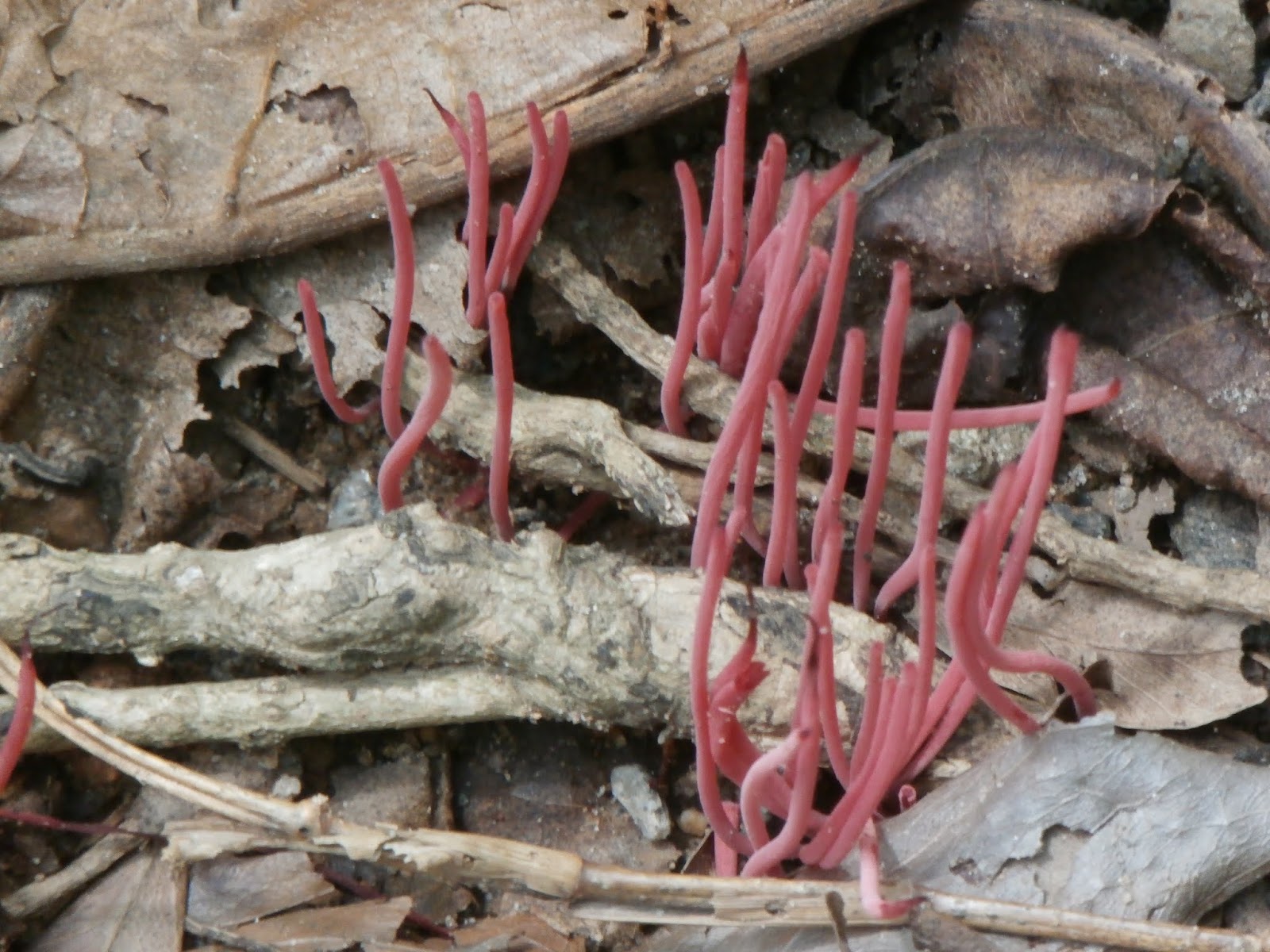
Instead of going into the one way path to wetland, I choose a detour path. The first thing I noticed is a Coral Fungus. A rare sight.


A Knight rests peacefully for a focus shot. Slightly out of position due to zooming with free hand.


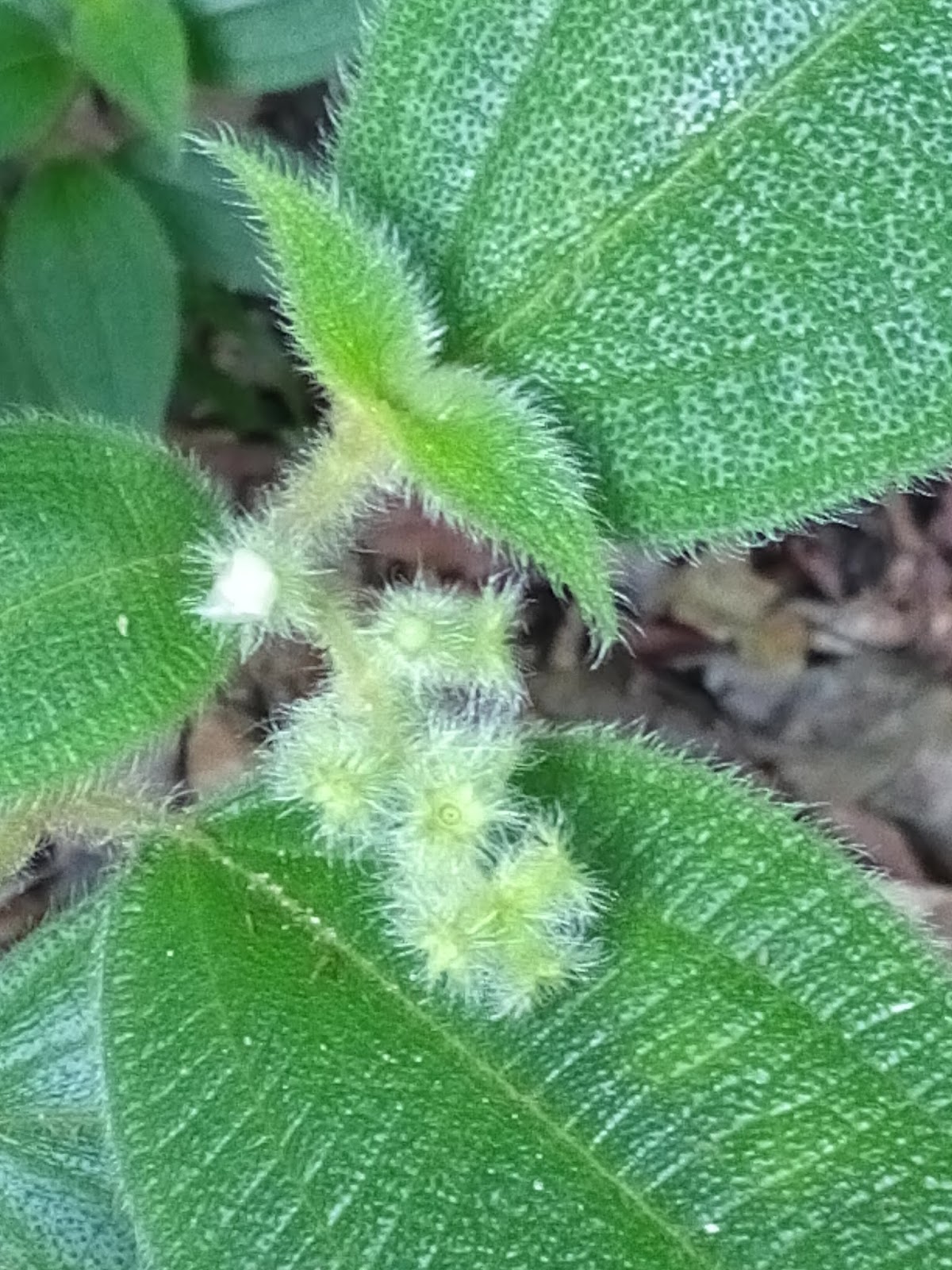
This common hairy plant is a Hairy Clidemia

Further down the path saw a web. That owner is a silk Orb Weaver spider.


This female Tailed Jay is quite faded but its characteristics are still visible and intact.


Ixora lobbi is very common around here. Took one picture of its blooming flower but it is blurred. Settle for buds instead.


A family of wild boar walked right behind me across the path. I could only stood still and took a number of pictures. Only this one is clear. Flash is required but I do not want to startle the wild animals. Read from Netizens that wild boars here are friendly. One of them is famous but is dead and buried. I don't want to hang around them as they are still wild.


A Malay Viscount came out and stay right in my path. I obliged to take a picture of it.


Going back into the main path, I reached Chek Jawa Wetland. The first thing that surprises me is a Shed with Cold drink dispenser. There is no electrical lines linking to the wetland. Later I found out that there is a generator further behind.

I went into the jetty through a hut. Did not bother to take a picture of the hut. There is nothing worthy of a click around here.

Walking back to the shed and proceed to the bridged walk. Its high tide and I could not see anything that is worth taking at all. From the bridge walk, there is another Mangrove bridged walk. Went into it and bring out my GPS map. It could not get the GPS location. It is here that I noticed that the GPS is not available since I visited the Jetty earlier. It is probably due to me switching to Panorama Camera app to take a parorama view of the main island.  Switched off GPS and back on and every thing goes well except that Endomondo does not capture the trail from Jetty to the Mangrove Walk. WikiLoc is working fine as it is in another handphone.

Nothing much to take picture all the way to the shed. I took a rest at the shed and some students were giving out survey sheets. I am obliged to fill in one. The young girl was surprised that I indicate no change needed. Obviously right? I am a naturalist, there is no reason to change the natural environment to artificial one.

They are surprised that a senior citizen walked 6.5 KM all the way from the main jetty. They are even more surprised that I am going to walk another 5KM. I did share Osmand and WikiLoc app to them to show how I can walk around easily.

The sky looks grumpy and thunders heard. Sadly all the insects go into hiding from then on. The rest of the route was just walking.

The outward bound route is also a one way route. Not surprising that there are cyclists who go the wrong way. After reaching Jln San Heng, I proceed North as planned even though it drizzles slightly now.

At the end of Jln San Heng, there is a beach. It is supposed to be a camping site. Surprised to see some barrier on the sea. I though it is kelong pikes but on the map it showed that the barrier stretches for miles along the coast. Don't know what is that for.

The return trip is supposed to go via a trail. It was closed. No choice but to take another trail further down the road. It is like a kampong trail that passes through a few houses. Again nothing interesting here.

After reaching Jln Ubin, saw from the map that there is another trail that leads to another wetland. Ventured into it and is disappointed that it is a dead end with construction in progress. On the way in heard a buzzling sound. It is a large group of bees moving house. I walked right pass it only to realize it after that. Luckily nothing happens and no sting received as a gift.

Turned into Jalan Batu Ubin instead of continuing through Jln Ubin as planned. There is nothing here worth taking pictures either. Reached the village and realized that they only sell seafood. Time to go back to main island.

Walked to the jetty and found that they are short of just one person. No waiting time to embark on to the bump boat. One thing I don't like embarking here. We have to walk through a number of other bump boats. It is a reason why I hesitate to bring handicapped people to Ubin.

The trip ended with late lunch in the food court.

The picasa album is here.

WikiLoc route map is here.


Tuesday, October 13, 2015

What technology that helps the blind

Ten years ago, I evaluated a number of technologies that is of use to visually handicapped (VH). It was quite a fruitless search. Ten years later I attended the China Information Accessibility Forum in Beijing and it showed quite a number of improvement. The following is a description of some of the technologies available as gathered from the forum.

I am not a fan of Apple iPhone but I do admire the free VoiceOver accessibility feature available. With it, VH can use the phone almost as easily as others.  There were apps written to help blinds. Ariande can help blind navigate places alone. LookTell Money reader can read money denominations (only US$). Color ID Free can read colors (can only read simple color). VizWiz provides human assistance to help VH. Android has assistive technology also but is a far fetch from VoiceOver.

Another technology by Apple is also of interest. It is the iBeacon technology. This technology allows a BT beacon to beam its proximity and some static information to the user. Obviously, user must use iPhone to do it. (Android have apps that can do it too.) It has a number of applications for VH. If every bus could be equipped with such beacon, it would help VH to detect which bus is the required one.

If the beacon can be fixed on every bus stop then VH will know which one to disembark on the last announced stop. If a building is equipped with Beacon, It will greatly help VH or sighted to know their exact location with a given virtual map of the building. Even those sighted can get lost in a very large shopping mall. Android has yet to catch up on this. Samsung is reportedly following suit but I am yet to see it.

Voice dictation system. Microsoft demonstrated its Cortana system that integrates voice recognition with linkage to app activation - a sort of personal assistance. Although it failed several times to perform during the presentation, it nevertheless a good technology to adapt for the blind. I have not seen Apple Siri at work but it is basically implemented much earlier than Microsoft. Android does not have one but there are quite a number of apps that does the same. How good is it is yet to be ascertained.

Obstacle Avoidance and Detection system. This technology was not that new but has not been very successful. Saw a video on this system. It could be helpful but as far as I know, detecting suspended small/pointed objects is still an issue.

Object location tag. Saw from booths in the forum that allows items to be tagged with a tag that has a buzzer built in. You could call up to 8 devices per calling device. It is nothing new just that the idea is rather interesting. If they could make it into adhesive tag then its use might be wider. I would like to see something like a RFID. It uses passive tags. The reader must be able to pinpoint the tag among other tags.

Face recognition and detection. According to the demonstrator, it helps the blind to be able to talk to others face-to-face by detecting where is the person. It allows pre-recorded face so that it can even announce the person's name. It did recognize me as a 50 plus old anonymous guy.

Small MP3 like equipment that can play music and read documents (without screen) is something of interest. A number of companies were making it. I would be more interested if it can automatically change language according to the mixed language document.

PC screen reader. It has been ages since this technology is available. Nothing much changed. Laptops and PC sales are going down due to increasing mobile handphone use. It is sunset technology.

Some researcher was trying to integrate all the technologies in one app. It might be useful but probably takes decades to do so.

One biggest challenge is to make the equipment affordable. Many of the VH have low or no income. Having such equipments are next to impossible. Don't forget many of the equipment requires internet access. There is a monthly bill to pay. Many equipments also require general public to take part like iBeacon for buildings/bus. The infrastructure cost is huge. Other VH are also illiterate. Coaxing, educating them enough to use such equipments is a long and tedious task.


Sunday, September 13, 2015

Passing parameters to Filemaker Script

Filemaker only accept one parameter when you "perform script". There are many suggestions to pass more than one parameters. Some use custom functions. One of the most noted function is #Parameters. It stores name and value set into a dictionary. Others suggest using "List".

For those who do not use Filemaker advanced, there is no way to create custom functions. For list, if you just pass it a list of values separated by "carriage return". The only problem is that if you passed a blank value, the next value will be used instead. This caused considerable inconveniences.

Some others passes a XML or JSON as parameter and it requires a function to do the extraction. I guess this is the best way to do it. The following is an example of getting the variable value by creating a XML, stored as global value and call the script with node name as parameter.

# Construct a xml for all the variable and values. Store as global variable $$xml
# The passed xml must not contain carriage return just join all the nodes end to end
# The xml constructed must also be escaped to make it valid.
Set Variable [ $pkey ; Value: Get(ScriptParameter) ] 
Set Variable [ $$xml ; Value: Substitute ( $$xml ; "><" ; ">"  & ¦ & "<" ) ] 
Set Variable [ $ccount ; Value: 1 ] 
Set Variable [ $pcount ; Value: PatternCount ( $$xml ; ¦ ) ] 
Set Variable [ $pvalue ; Value: "" ] 
Loop
 Exit Loop If [ $ccount > $pcount ] 
 Set Variable [ $xsearch ; Value: GetValue($$xml;$ccount) ] 
 Show Custom Dialog [ "test" ; $xsearch ] 
 If [ PatternCount ( $xsearch ; "<" & $pkey & ">" ) =1 ] 
  Set Variable [ $pvalue ; Value: Let ( [ $p = Substitute ( $xsearch ; "<" & $pkey & ">" ; "" ) ; $p = Substitute ( $p ; "</" & $pkey &">" ; "" )] ; $p ) ] 
  Set Variable [ $ccount ; Value: $pcount ] 
 End If
 Set Variable [ $ccount ; Value: $ccount+1 ] 
End Loop
Exit Script [ Result: $pvalue ] 

Note that the | symbol is actually the Filemaker "carriage return" sign.

Recent development see another way of passing parameters. This is done by using JSON. Filemaker has added functionalities to read/write the elements of JSON. It makes passing parameters much easier with much less hassles.


Friday, September 11, 2015

Filemaker example of Xpath

Previously I talked about using Filemaker to extracting xml node text without using plugins. I have created a working script that does just that. You just need to call the first script that does a "Tidy". The script will remove unnecessary carriage return, tabs and extra spaces between nodes. It also add carriage return after every node. You can get the node text value by adding the xpath path with a carriage return in front of the xml as one parameter to the second script.

The reason for putting them in two script is that you only need to "Tidy" the xml once but you need execute  the second script a number of times to extract multiple node values.

The first script is called "xtidy". The script is as follows

Set Variable [ $xml ; Value: Get(ScriptParameter) ] 
Set Variable [ $xlen ; Value: Length ( $xml ) ] 
Set Variable [ $ccount ; Value: 1 ] 
Set Variable [ $xout ; Value: "" ] 
Set Variable [ $xfound ; Value: 0 ] 
Set Variable [ $xtext ; Value: "" ] 
Loop
 Exit Loop If [ $ccount > $xlen ] 
 Set Variable [ $xsearch ; Value: Middle ( $xml ; $ccount ; 1) ] 
 If [ $xsearch = ">" ] 
  Set Variable [ $xfound ; Value: 1 ] 
  Set Variable [ $xout ; Value: $xout & $xsearch ] 
 Else If [ $xsearch = "<" ] 
  Set Variable [ $xtext ; Value: Substitute ( $xtext ; Char ( 13 ) ; "" ) ] 
  Set Variable [ $xtext ; Value: Substitute ( $xtext ; Char ( 11 ) ; "" ) ] 
  Set Variable [ $xtext ; Value: Trim ( $xtext ) ] 
  Set Variable [ $xout ; Value: $xout & $xtext & "<" ] 
  Set Variable [ $xtext ; Value: "" ] 
  Set Variable [ $xfound ; Value: 0 ] 
 Else If [ $xfound = 1 ] 
  Set Variable [ $xtext ; Value: $xtext & $xsearch ] 
 Else
  Set Variable [ $xout ; Value: $xout & $xsearch ] 
 End If
 Set Variable [ $ccount ; Value: $ccount+1 ] 
End Loop
Set Variable [ $xout ; Value: Substitute ( $xout ; "><" ; ">" & ¦ & "<" ) ] 
Exit Script [ Result: $xout ] 
The second script is call "Xpath". The script is as follows


# Just add the path with a carriage return to the xml like $xpath & $xml as parameter
Set Variable [ $xml ; Value: Get(ScriptParameter) ] 
Set Variable [ $xmlcount ; Value: PatternCount ( $xml ; ¦ ) ] 
Set Variable [ $xpath ; Value: GetValue($xml;1) ] 
Set Variable [ $xpath ; Value: Substitute ( $xpath ; "//" ; "" ) ] 
Set Variable [ $xcount ; Value: PatternCount ( $xpath ; "/" )+1 ] 
Set Variable [ $xpath ; Value: Substitute ( $xpath ; "/" ; ¦ ) ] 
Set Variable [ $pathLevelCount ; Value: 0 ] 
Set Variable [ $pathRepeatCount ; Value: 0 ] 
Set Variable [ $lastXsearch ; Value: "" ] 
Set Variable [ $lastXsearchCount ; Value: 0 ] 
Set Variable [ $xmlresult ; Value: "" ] 
Set Variable [ $xcurPath ; Value: "/" ] 
Set Variable [ $xlevel ; Value: 0 ] 
Set Variable [ $xlevelCurrent ; Value: 0 ] 
Set Variable [ $ccount ; Value: 1 ] 
Set Variable [ $xml ; Value: Middle ( $xml ; Position ( Upper ($xml) ; "" ; 1 ; 1 )+15 ; Position ( Upper($xml) ; "" ; 1 ; 1 )-Position ( Upper($xml) ; "" ; 1 ; 1 )-15 ) ] 
Set Variable [ $xmlcount ; Value: PatternCount ( $xml ; ¦ ) ] 
# Script to find lowest level of the first search path
Loop
 Exit Loop If [ $ccount > $xmlcount ] 
 Set Variable [ $xsearch ; Value: GetValue($xml;$ccount) ] 
 If [ Left ( $xsearch ; 2 ) = "</" ] 
  Set Variable [ $xlevelCurrent ; Value: $xlevelCurrent-1 ] 
 Else If [ PatternCount ( $xsearch ; "<" ) = 1 ] 
  Set Variable [ $xlevelCurrent ; Value: $xlevelCurrent+1 ] 
 End If
 Set Variable [ $xnode ; Value: Middle ( $xsearch ; 2 ; Position ( $xsearch ; ">" ; 1 ; 1 )-2) ] 
 If [ PatternCount ($xnode;"/")  ­ 0 ] 
  Set Variable [ $xnode ; Value: ¦ & ¦ & ¦ & ¦ ] 
 End If
 If [ Position ( GetValue($xpath;1) ; $xnode ; 1 ; 1 )  > 0 ] 
  If [ $xlevel = 0 ] 
   Set Variable [ $xlevel ; Value: $xlevelCurrent ] 
  Else If [ $xlevel > $xlevelCurrent ] 
   Set Variable [ $xlevel ; Value: $xlevelCurrent ] 
  End If
 End If
 Set Variable [ $ccount ; Value: $ccount + 1 ] 
End Loop
Set Variable [ $xlevelCurrent ; Value: 0 ] 
Set Variable [ $ccount ; Value: 1 ] 
Loop
 Exit Loop If [ $ccount > $xmlcount ] 
 Set Variable [ $xsearch ; Value: GetValue($xml;$ccount) ] 
 If [ Left ( $xsearch ; 2 ) = "</" ] 
  Set Variable [ $xlevelCurrent ; Value: $xlevelCurrent-1 ] 
 Else If [ PatternCount ( $xsearch ; "<" ) = 1 ] 
  Set Variable [ $xlevelCurrent ; Value: $xlevelCurrent+1 ] 
 End If
 # Look for path start
 Set Variable [ $xpathtxt ; Value: GetValue($xpath;$pathLevelCount+1) ] 
 If [ Position ( $xpathtxt ; "[" ; 1 ; 1 )  ­ 0 ] 
  Set Variable [ $xpathary ; Value: Substitute ( $xpathtxt ; "[" ; ¦ ) ] 
  Set Variable [ $xtxt ; Value: GetValue($xpathary;1) ] 
  Set Variable [ $ycount ; Value: GetAsNumber ( GetValue ( $xpathary ; 2 ) ) ] 
 Else
  Set Variable [ $xtxt ; Value: $xpathtxt ] 
  Set Variable [ $ycount ; Value: 1 ] 
 End If
 # Look for path end
 Exit Loop If [ Position ( $xsearch ; $lastXsearch ; 1 ; 1 ) = 1 ] 
 If [ Position ( $xsearch ; "<" & $xtxt & ">" ; 1 ; 1 ) = 1 and $xlevelCurrent = $xlevel+$pathLevelCoiunt ] 
  Set Variable [ $pathRepeatCount ; Value: $pathRepeatCount+1 ] 
  If [ $pathRepeatCount=$ycount and $pathLevelCount  < $xcount ] 
   Set Variable [ $pathLevelCount ; Value: $pathLevelCount+1 ] 
   Set Variable [ $lastXsearch ; Value: "</" & $xsearch & ">" ] 
  End If
  If [ $pathLevelCount = $xcount and $pathRepeatCount = $ycount ] 
   Set Variable [ $xmlresult ; Value: Middle ( $xsearch ; Position ( $xsearch ; ">" ; 1 ; 1 )+1 ; Position ( $xsearch ; "<" ; 1 ; 2 )-Position ( $xsearch ; ">" ; 1 ; 1 )-1 ) ] 
   Set Variable [ $ccount ; Value: 50 ] 
  End If
  If [ $pathRepeatCount=$ycount and $pathLevelCount < $xcount ] 
   Set Variable [ $pathRepeatCount ; Value: 0 ] 
   Set Variable [ $lastXsearch ; Value: "</" & $xtxt & ">" ] 
  End If
 End If
 Set Variable [ $ccount ; Value: $ccount + 1 ] 
End Loop
Exit Script [ Result: $xmlresult ] 


Wednesday, September 09, 2015

How to read XML nodes if you don't have XML parser?

I used Filemaker to create database applications. On of the application need to access to Web Services. The returned text is XML. Therefore, I use a plugin called BaseElements to read the nodes. However, recent development requires the same functionality to be available in iPad. Filemaker for iPad does not allow plugins.

Fortunately, the xml parser is not a general parser that translates XML to an array. It just returns the text value of the node defined by the path.

To circumvent the issue, I decided to replicate the same functionality of the BaseElement plugin (BE_XPath() function). The function works like this. You pass it a XML and a path and it returns you the result. For exmaple, BE_XPath($xml;"//Data/myname") will return you the text value from the path. If there are more than one "Data" then you need to define it as a sort of array like Data[1].

It is not at all difficult to interpret the xml. There is just one step to do before parsing it. You need to add [Carriage Return] after every node. Usually the xml is returned as a continuous text without a carriage return character. What I need to do is just search for "><" and replace it with ">[CR]<". [CR] is the character code 13.

The result of doing such replacements means each node will be on a line ending with a carriage return. For example,

<myname>xxx</myname><myphone>yyy</myphone>

will be come

<myname>xxx</myname>
<myphone>yyy</myphone>

What you need to do is search for the path in the sequence for each line of the XML. My example uses Data and myname. So I just read each line and look for first. If it is found then I look for . If reaches first then is not found. If the line returns "" before the two nodes are found then the path is not available.

If the path is Data[x], I just need to repeat the search for till the x occurrence is reached. It is as simple as that.

Once the node name is found, it is time to remove the xml node name. Well, it is quite simple. You simply replace the enclosing node names together with its XML markup as "". Don't worry as XML does not allow "<" and ">" to be part of node text.

Obviously, you need to look out for <myname/>. This means that the node exists but no value. But since I am looking for the node text, whether it exists or have no value is not an issue, I just return a blank unless it is specifically required to determine whether the node actually exists.

The above is assuming that the XML is without carriage returns, tabs and spaces. If the xml is generated by hand and is "tidied". the situation more complicated. You will need to reformat the xml to remove all the carriage return, linefeed, and leading and trailing spaces first then proceed to add carriage return as per described above.


What is the difference between SOAP and POX on Web Services

My previous two blog talks about two aspects of Web Services. What is the differences between the two methods. To make it simple, it is basically the same except that one is easier and the other is harder. They both return exactly the same result.

Let's talk about the easier one. Using SOAP is by far the easiest way. You just need to compose an array according to the documentation available for the Web Services and send to a function of the WS object.

The harder one is to compose the XML envelop then add the nodes to make a complete XML document and then send it.

How did the Web Services work with two different methods? Actually they are both the same except that the XML is posted to the second stage. Allow me to explain the process.

When we use SOAP, we creates a connection to the Web Services (henceforth WS). We then called the particular function via the connection object and pass it an array of parameters. In PHP the script is as follows.

$client= new SoapClient("http://webservices_address", $opt);
$param=array('action'=>'theaction');
$test=$client->thefunction($param);
echo $test->functionresponse->result;

Now if the arguments is a multiple array type the $param will be something like this

$param=array('action'=>array('subaction'=>subtheaction'))

You have to know what function to call and what parameter to pass. Normally this is found in WS documentations. Now, it is very important to be specific about the object name of the array. It is often case sensitive. "subaction" is not the same as "subAction". Often WS will simply tells you that a parameter is missing because of case differences.

To a user, the PHP script is all that is needed to get it working. In actual fact PHP works in the back ground and actually posts the data in a different form. You guess it right. It actually posts a XML to WS after composing it from the WSDL that it first addressed to. This means that it actually interprets the returned value when it first posts to WS, compose the XML based on the definition then sends the XML to another address (usually a sub address of the original) according to the definition.

Our second method actually composes the XML directly and posts to the sub address. It is therefore the same thing except you need to compose the XML the hard way unless you download the WSDL of the WS and do a transpose yourself.

How does the multiple array looks in XML? It is exactly the same except in different format.

subtheaction

Obviously, the PHP array is much easier to read. Now, you would say why not just use SOAP since it is much easier? Yes it is unless the application you use does not have SOAP functionality. PHP have both SOAP and CURL (which provide POX functionality by sending the XML as post). If I use PHP I would prefer to use SOAP instead of CURL. What if you use an application for your business but that application only have CURL?

Since CURL can post a XML to the WS and still gets back the same result, it is pretty alright to use it to access WS. It will be more difficult as you will need to understand what to do when composing the entire XML. Some WS does provide the XML information and allows POX.

Filemaker is a good application for a small business. It is very easy to create a complete database application without much technical knowledge. To access to WS, there is no choice but to use CURL. It might be harder but it will still work.

Actually Filemaker can post to a web site and gets the result but then it has to call a PHP script, pass the information to it and it in turn calls WS, get the result and return it to Filemaker. It is pretty round the world way but it still works.

Post note. SOAP communication has been discontinued. The only way is to use POX now.